6 min read
Settings & team
Brand the workspace, invite teammates, set roles and dealer grants, passkeys, and ops toggles.
Settings covers workspace branding, team access, passkeys, and operational toggles like demo mode and auto-assign.
Settings
app.engage
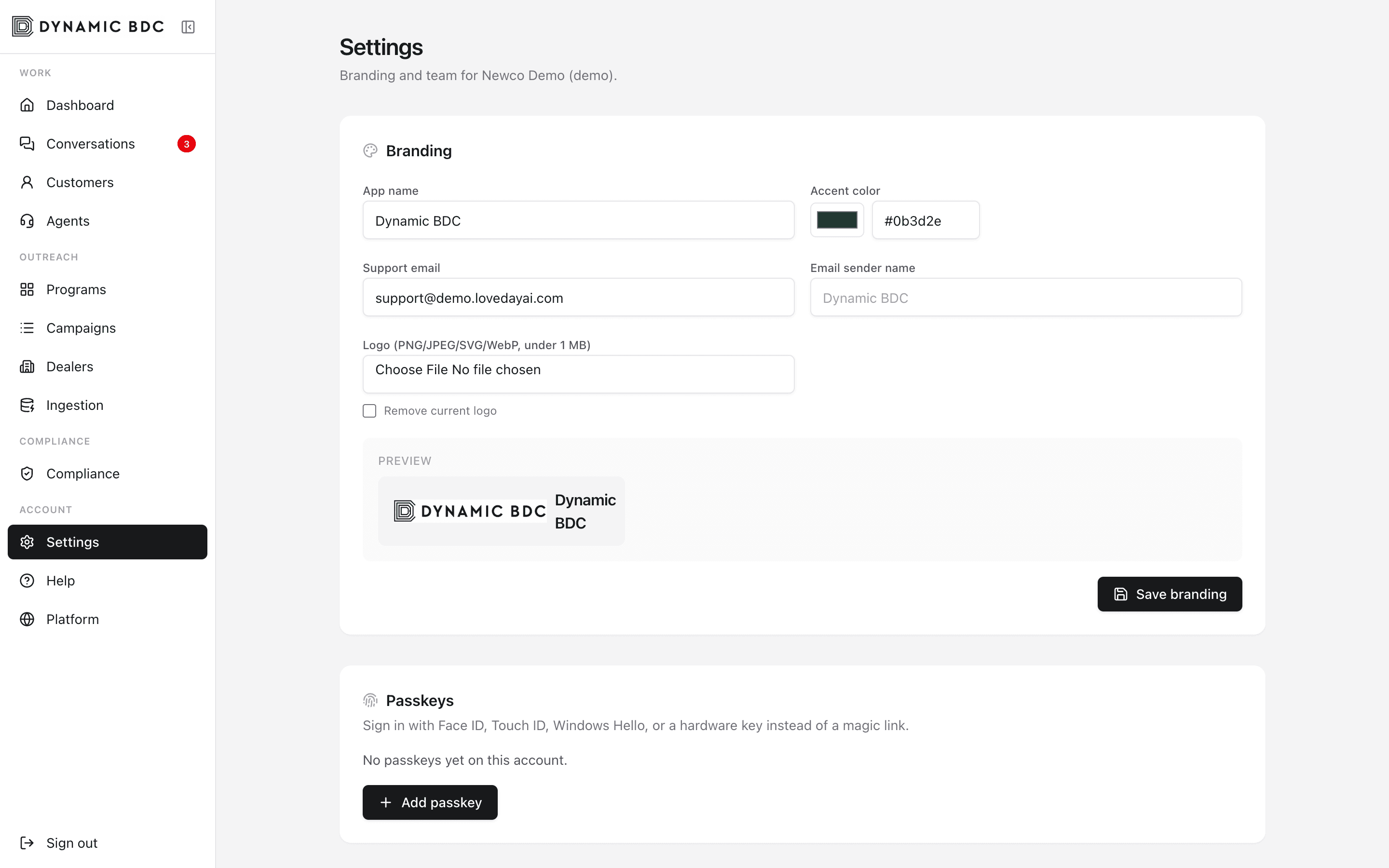
Branding
- App name, accent color, and logo — shown in the nav and on the login/marketing shell for your subdomain.
- Support email and sender name — used in notifications.
- Hot lead email — MJML template with live preview for dealer alerts.
Team & roles
- Admin — full org control including dealers, programs, compliance, and invites.
- Campaign manager (operator) — outreach and queue ops without platform admin.
- Agent — dashboard, conversations, customers, and own passkeys.
- Compliance — conversations plus compliance tools for blocked numbers and exports.
Restricted agents get dealer and/or program grants instead of the whole org. Invite by email; remove or change role from the team table.
Ops toggles
- Demo mode — suppress real SMS/email for the whole workspace.
- Auto-return minutes — idle agent threads return to Unclaimed.
- Auto-assign escalations — push new escalations to online agents.