7 min read
Dealers & telephony
Configure rooftops, sender numbers, send windows, AI voice, CRM ingest, and demo mode per dealer.
Dealers are the rooftops you text on behalf of. Each dealer has its own sender number, timezone, AI policy, notifications, and optional voice agent.
Dealers
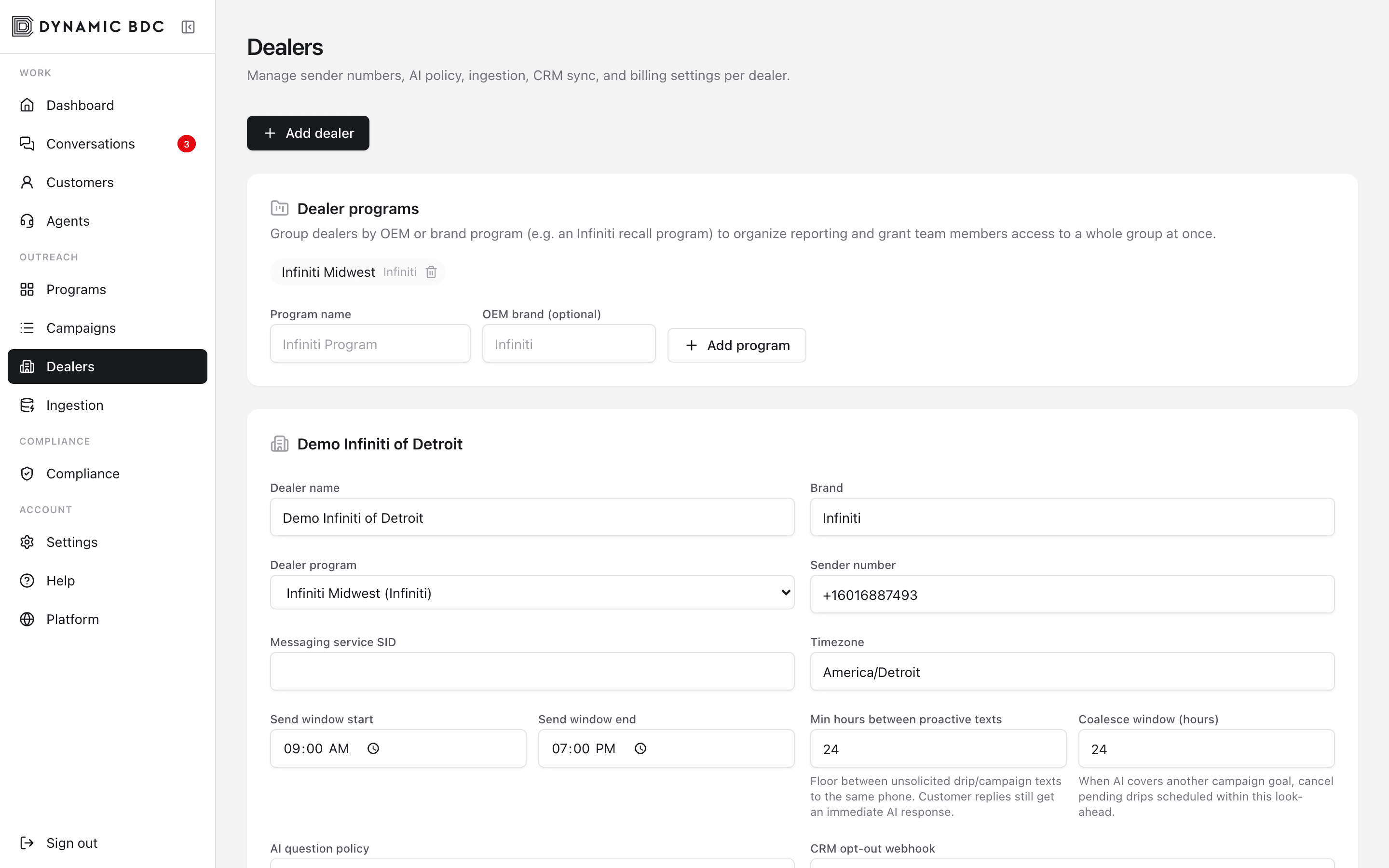
Key dealer settings
- Sender number & Messaging Service — managed under Telephony (shown read-only in the dealer header).
- Timezone & send window — quiet hours so texts only go out during allowed local times.
- AI policy — how aggressive or conservative the SMS agent should be.
- Notify email / phone — where hot leads and voice transfers go.
- Voice AI — enable Deepgram voice agent, greeting, and warm transfer to notify_phone.
- Ingest — SFTP or storage paths for CRM file drops.
- Demo mode — suppress real SMS/email for that dealer during demos.
- Auto-return — minutes before an idle agent-owned thread returns to the queue.
Buy & register a number
- Open Dealers → select a dealer → Telephony. Expand Buy & register, search by area code (local) or toll-free, then Buy. Webhooks and a Messaging Service are configured automatically.
- Toll-free: submit verification with business details and an https opt-in proof URL (form page or screenshot).
- Local 10DLC: create a Low-Volume Brand (legal name, EIN, address, authorized rep) or link an existing BN… SID, then submit the A2P campaign with message samples.
- Wait for carrier approval — compliance badges on the Telephony card show Brand / campaign / toll-free status.
10DLC Brand registration needs an approved Primary Customer Profile on the Twilio account (set TWILIO_PRIMARY_CUSTOMER_PROFILE_SID). Brand and campaign fees are billed by Twilio.
Inbound voice
When Voice AI is enabled, inbound calls are handled by a voice agent that can answer FAQs and warm-transfer to the dealer. Voice escalations show up in Conversations with a Voice badge; transcripts are stored as messages on the same customer thread.
Ingestion monitor
Ingestion
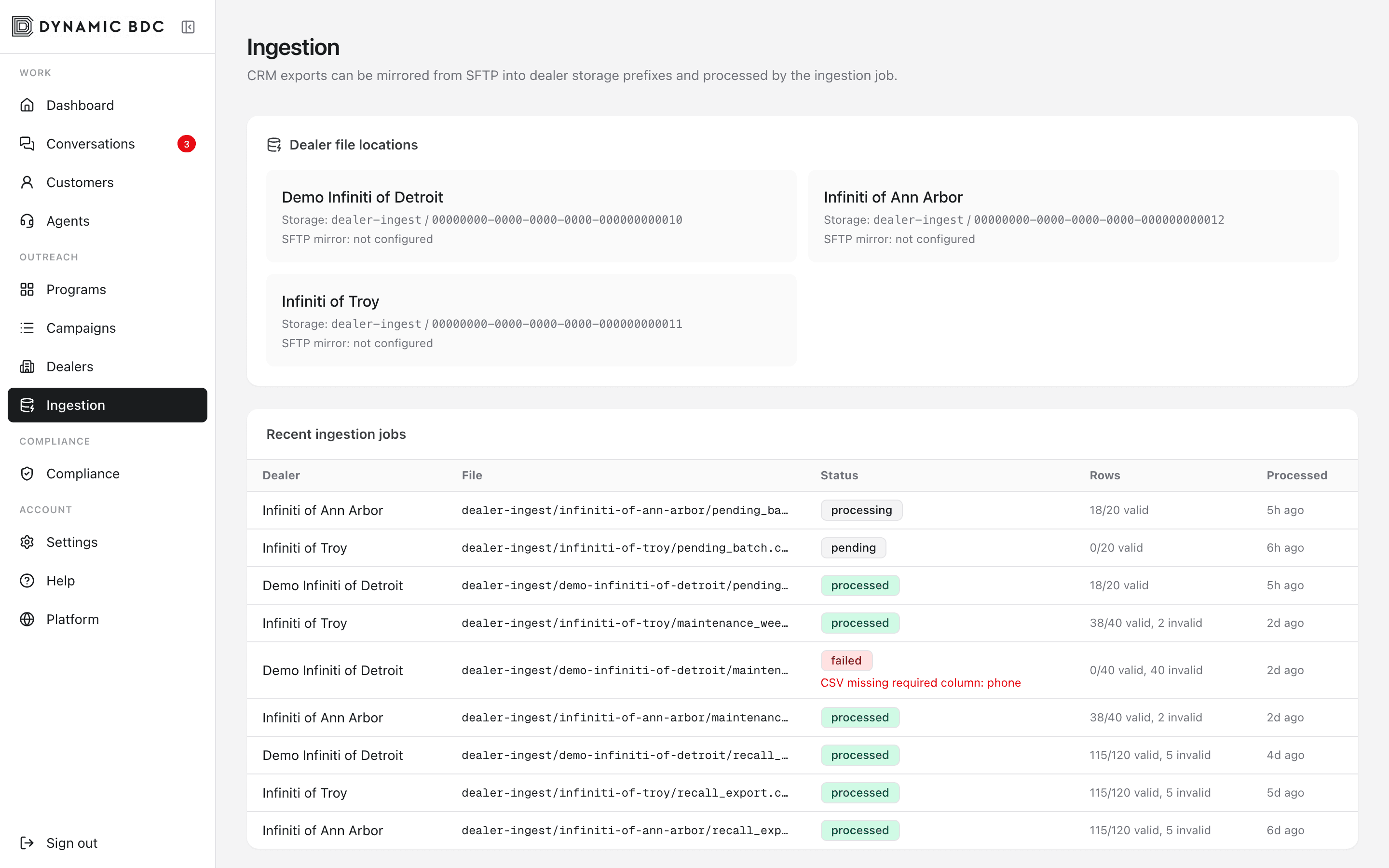
Use Ingestion to verify CRM file drops are landing and parsing. Failed jobs show error detail so ops can fix mapping or credentials without guessing.