10 min read
Campaigns
Launch CSV outreach with consent attestation, enroll more contacts live, set a schedule window, pause, tune goals, and export.
A campaign is a launched instance of a program for a dealer and a specific customer list. This is where outreach becomes live SMS.
History
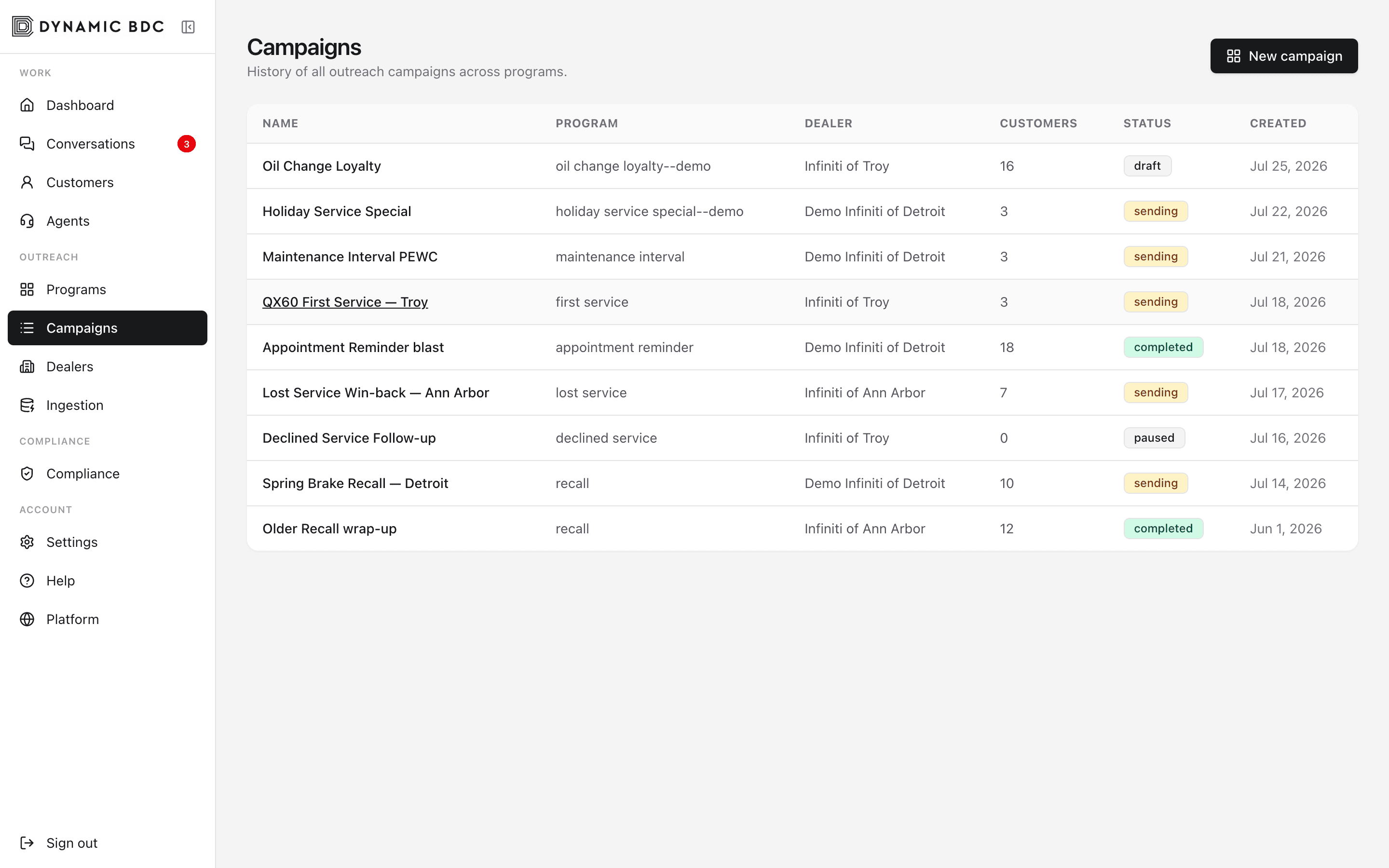
Launch a campaign
New campaign
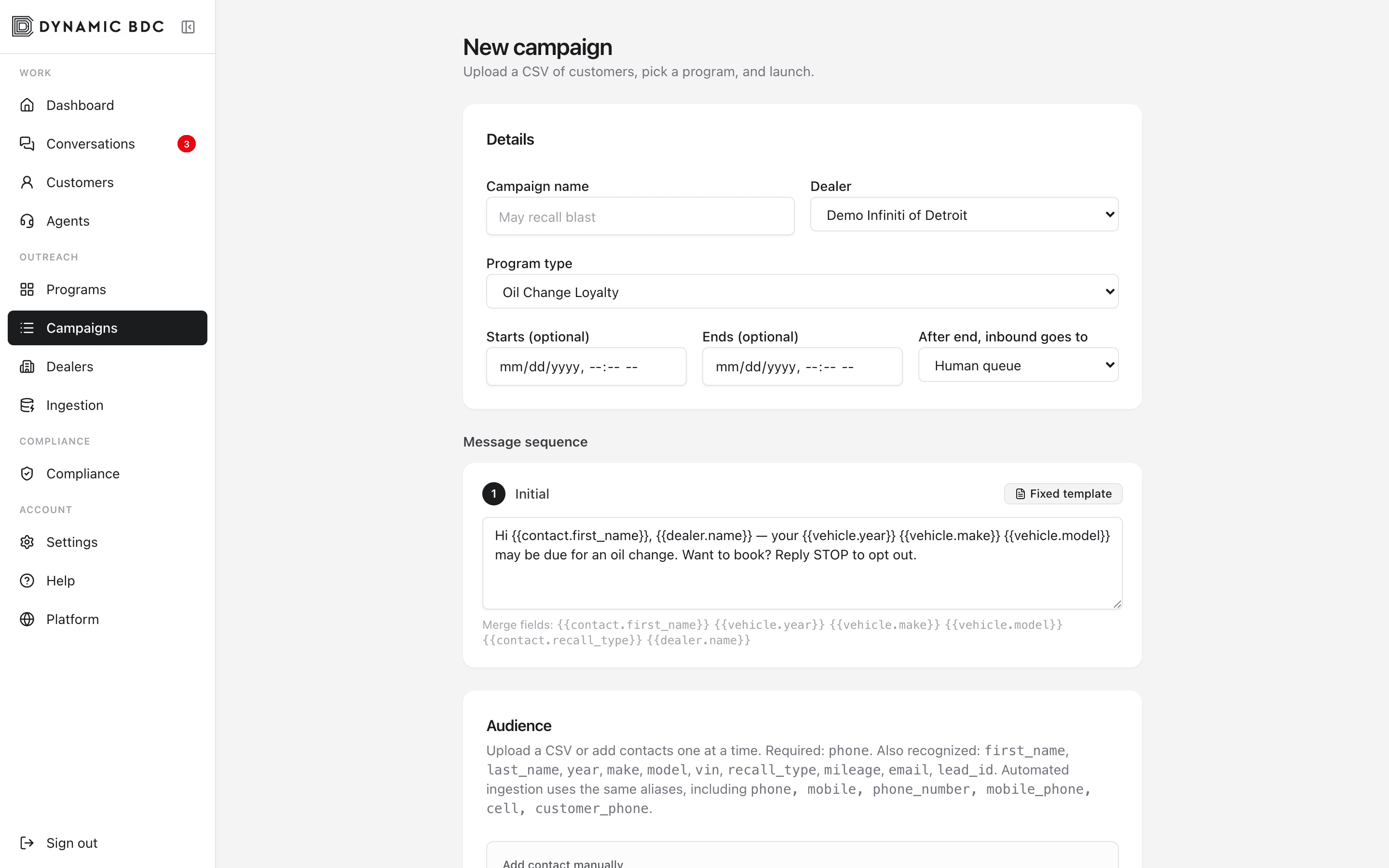
- 01
Start from a program
Open Programs → choose a playbook → launch. Starting here locks the program type and inherits steps and escalation.
- 02
Upload CSV or add contacts
Include phone and personalization fields (name, year, make, model, recall type, and so on). You can also add individual contacts on the form. The form maps common column aliases automatically.
- 03
Attest consent
Confirm the consent basis (for example, existing business relationship). Opt-out numbers are pre-checked against suppressions.
- 04
Set schedule (optional)
Optional start and end datetimes. Proactive sends wait until start. After end (or when marked completed), choose whether late inbound replies stay with AI or escalate to a human.
- 05
Review steps and launch
Adjust step copy for this campaign if needed, pick the dealer, then launch. Messages enter the outbound queue.
Campaign detail
Detail
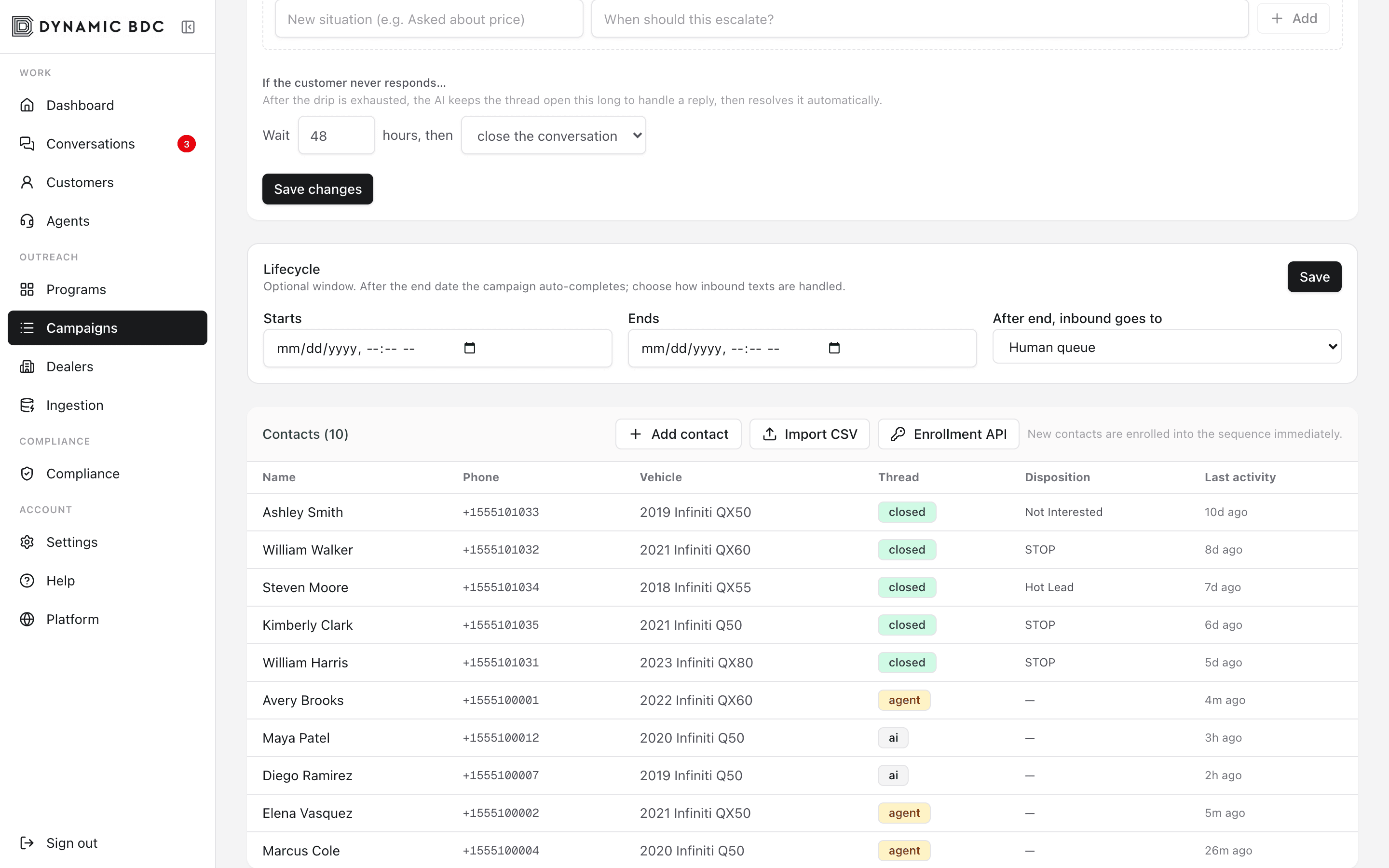
- Metrics — customers, SMS sent, engaged, appointments, hot leads.
- Audience journey — Sankey of how contacts move through filtered, sent, engaged, and outcomes.
- Lifecycle — edit start/end and post-end inbound policy while the campaign is not completed.
- Pause / resume — stop further outbound without deleting the campaign.
- Goal & escalation — override program defaults for this launch only.
- Export CSV — download contact-level outcomes for CRM or compliance.
Add contacts after launch
You do not need to re-upload the whole list. On campaign detail use Add contact, Import CSV, or Enrollment API.
- Draft — contacts only (no outbound queue yet).
- Sending or paused — full enroll: contact, conversation, and first-step queue (paused campaigns still queue; cron defers sends until resume).
- Completed — enrollment is closed.
- Enrollment API — generate a bearer token (shown once). CRM systems POST phone + name to /api/campaigns/{id}/enroll. Duplicate phones are idempotent.