12 min read
Conversations
Work the agent queue, monitor AI threads, claim escalations, reply with copilot, and close with dispositions.
Conversations is the agent workspace. AI owns threads until something needs a human — then the escalation appears in Queue for you to claim.
Queue · Columns
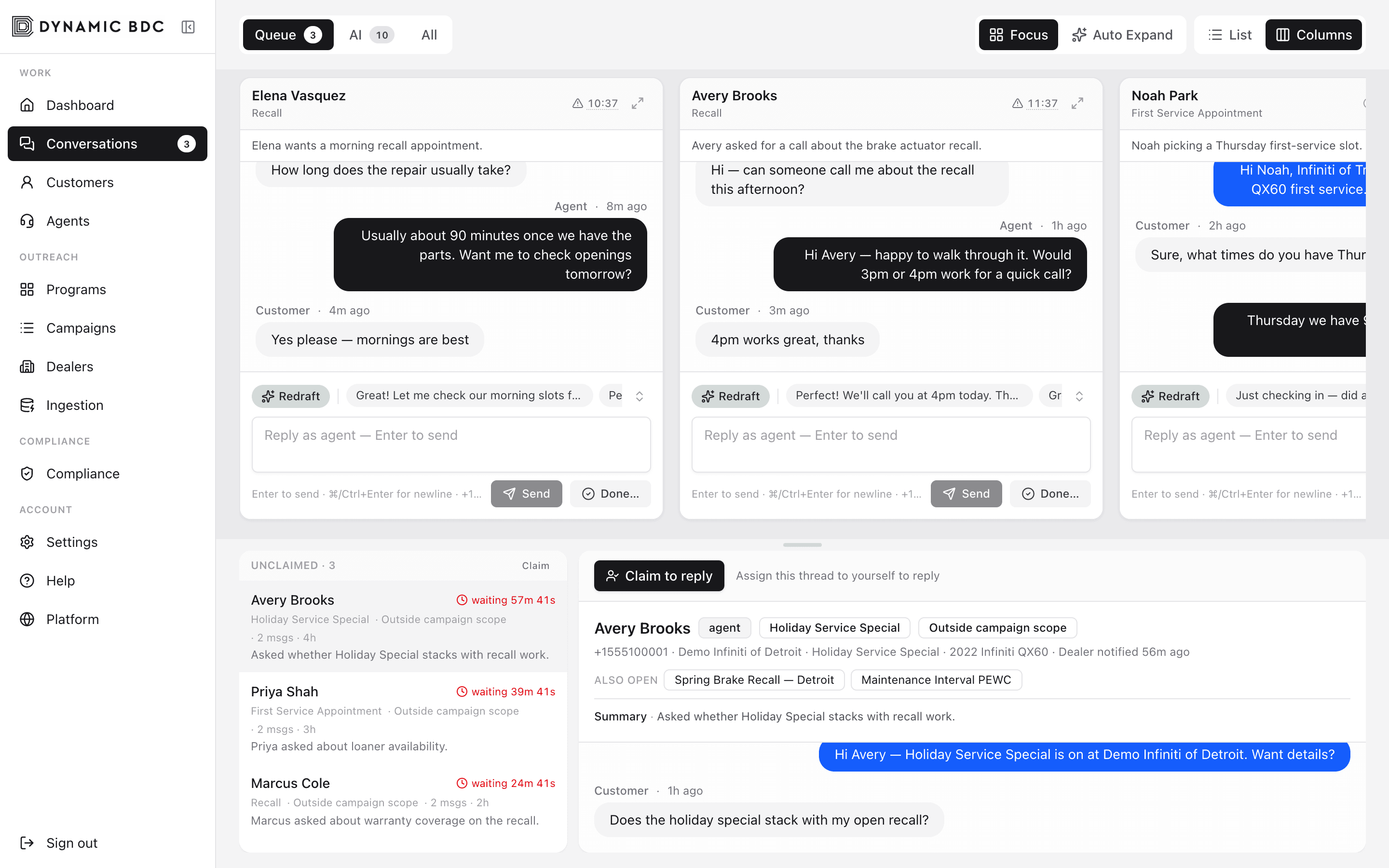
Queue, AI, and All
- Queue — Mine (claimed by you) plus Unclaimed escalations waiting for an agent.
- AI — threads still owned by the campaign AI. Take over when you need to intervene early.
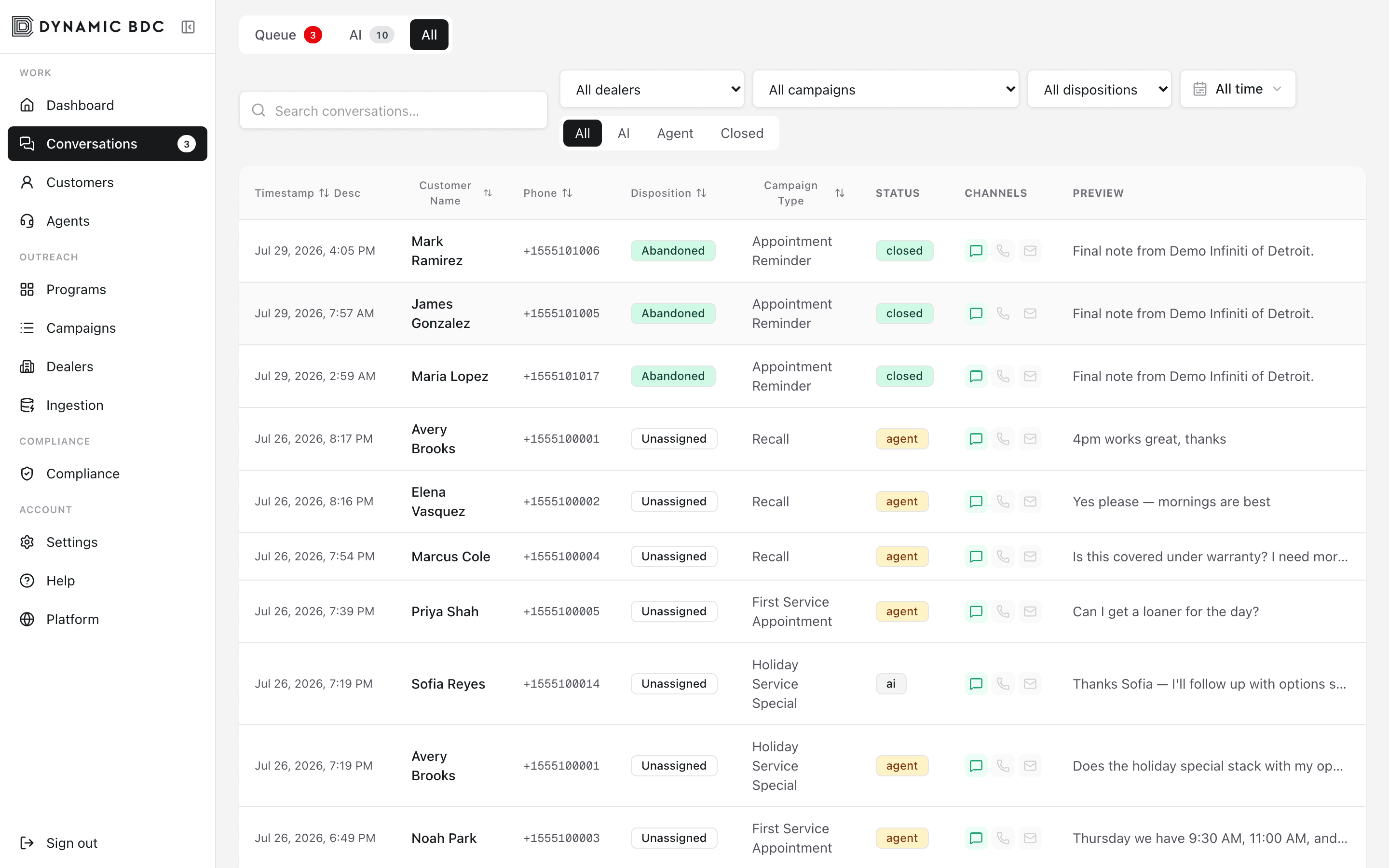
- All — full history with ownership filters (All / AI / Agent / Closed).
AI tab
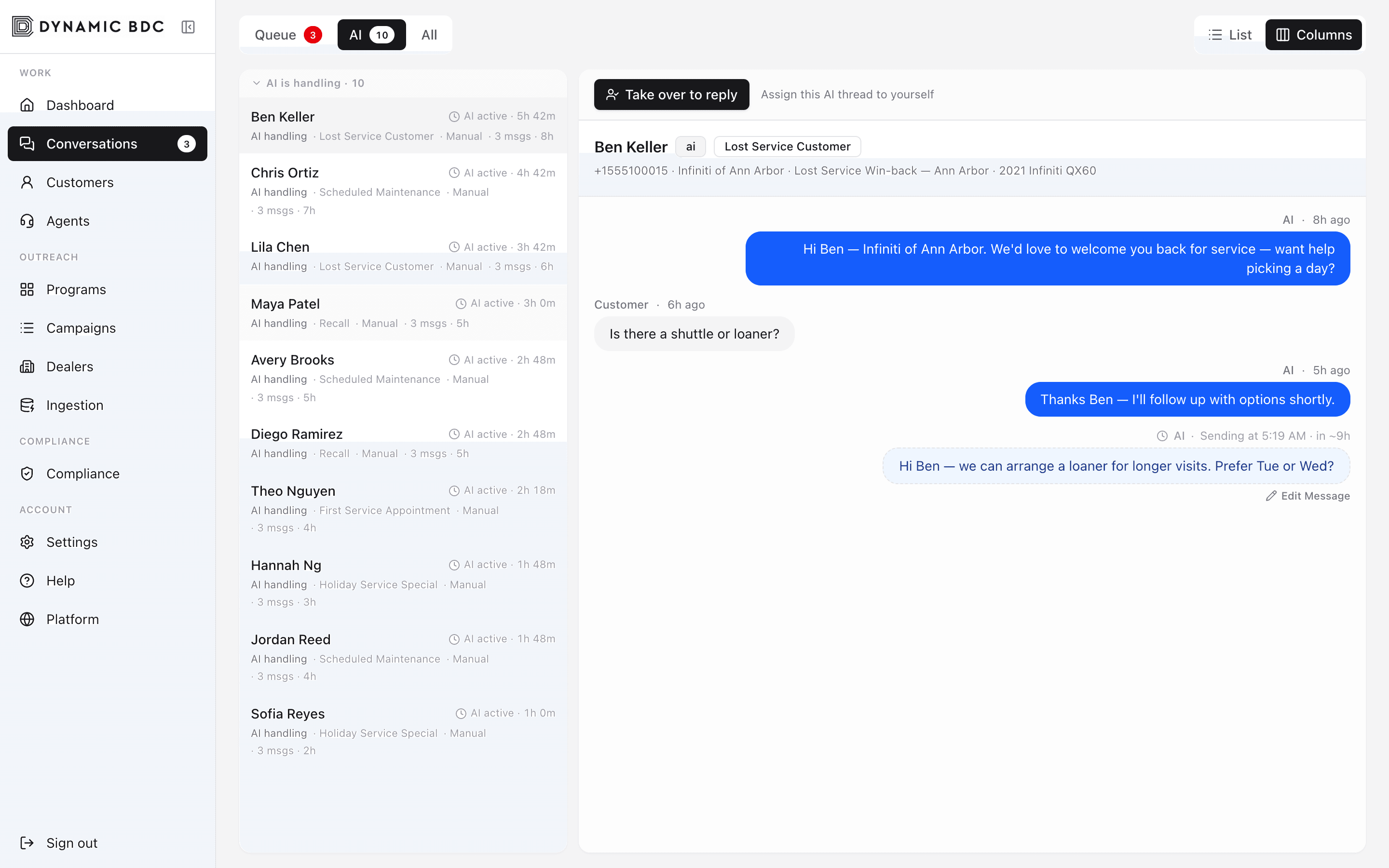
List, Columns, and Focus
- List — compact rows for high-volume triage.
- Columns — multiple open threads side by side (best for multitasking).
- Focus — one conversation at a time with fewer distractions.
- Auto Expand — opens the selected Unclaimed detail automatically as you move through the list.
Threads you already worked
On Unclaimed and AI cards, a sky left edge and “You replied” label appear when you previously sent at least one agent message in that conversation — so you can spot familiar customers after auto-return or release without opening every row.
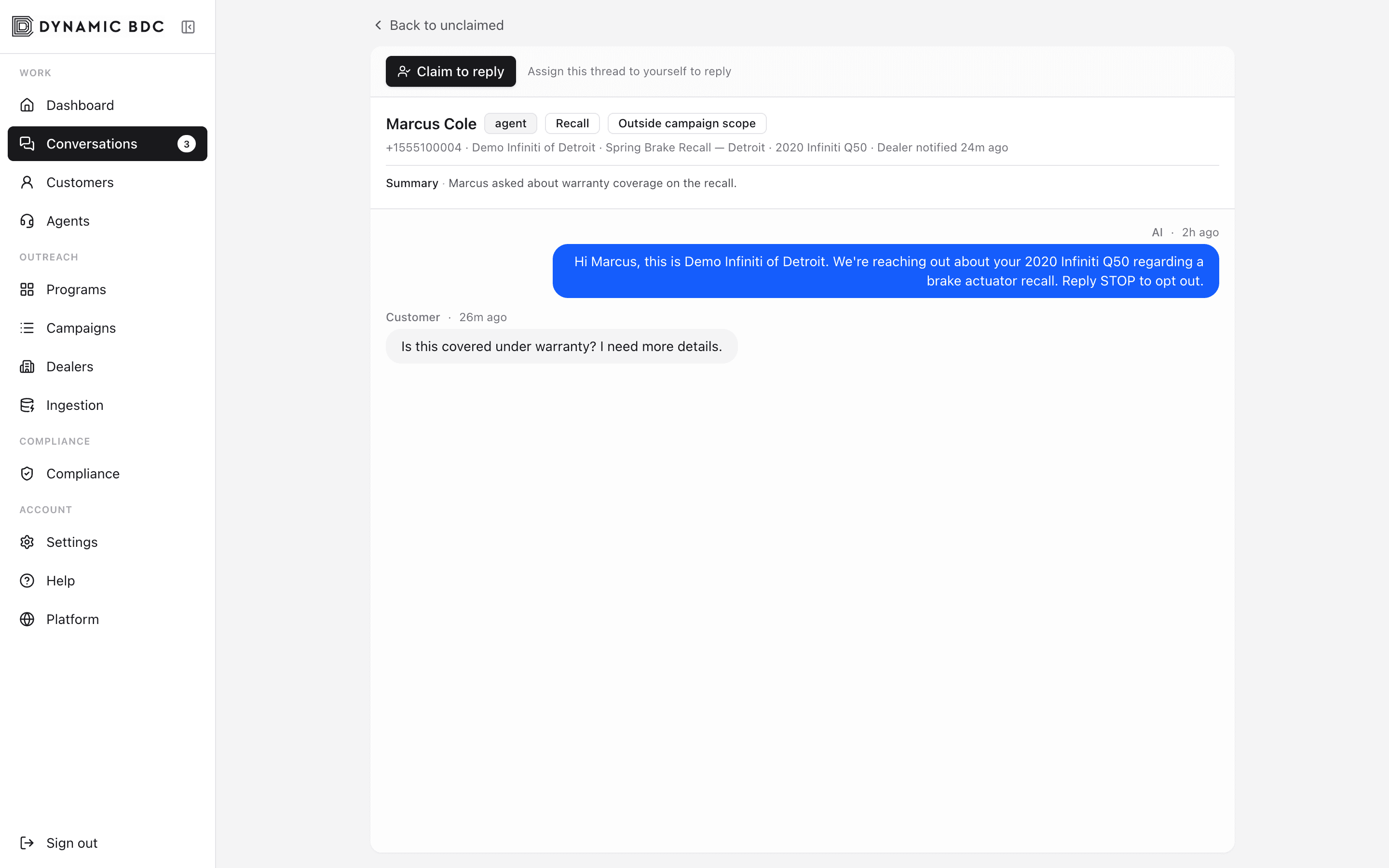
Claim and reply
Thread
- 01
Open an Unclaimed row
Read the AI summary and last customer message. Status chips show waiting time, aged-out, needs reply, and a human-readable escalation reason (for example Ready to schedule or Outside campaign scope).
- 02
Claim to reply
Claiming moves the thread to Mine and stops the AI from sending further replies on that conversation.
- 03
Write and send
Use the composer. Enter sends; you get a short undo window after send. Copilot can draft or rewrite for you.
- 04
Done
Close with a disposition, return to the queue for another agent, or return ownership to AI when the issue is resolved and automation should continue.
Ownership history
Under the conversation header, a compact strip shows the latest ownership event (claim, return, auto-return, release to AI, auto-assign). Expand History for the last few transitions — useful when a thread bounced back after idle auto-return.
Edit pending outbound
- Dashed pending bubbles show scheduled AI or drip SMS before they send, with clock timing (for example Sending at 1:14 PM · in ~2m).
- Edit the body in place without claiming the thread or changing the schedule. Attribution under the bubble is agent-only (Edited by …) and never goes out in the SMS.
Agent copilot
- Draft / Redraft — generate a reply from the thread context when the customer is waiting.
- Tone chips — warmer, shorter, or more formal rewrites of your current draft.
- Tab autocomplete — accept ghost text suggestions as you type.
Other open campaigns
When the same phone is active in more than one campaign, the thread header shows Also open with links to sibling campaigns so you can see the full customer picture without leaving Conversations.
Closing dispositions
- Appointment Scheduled — capture notes; optional appointment time when available.
- Hot Lead — flags for dealer follow-up (can trigger notification email).
- Abandoned — customer went silent after escalation.
- STOP / Not Interested — aligns with opt-out and outcome reporting.
History
Realtime
New escalations and messages appear live. A short chime plays when a new escalation lands; the matching queue card flashes and the Unclaimed count pulses so you can spot it — there is no reason-only toast. The Conversations nav badge and browser tab title show the open Unclaimed count so you notice work even on another page.