6 min read
Programs
Choose a service playbook, edit steps and escalation rules, or create a custom program for your org.
Programs are reusable playbooks. Each one defines the SMS step sequence, conversion goal, and when AI should escalate to a human. Launching a campaign from a program copies those defaults so you are not starting from a blank form.
Catalog
app.engage
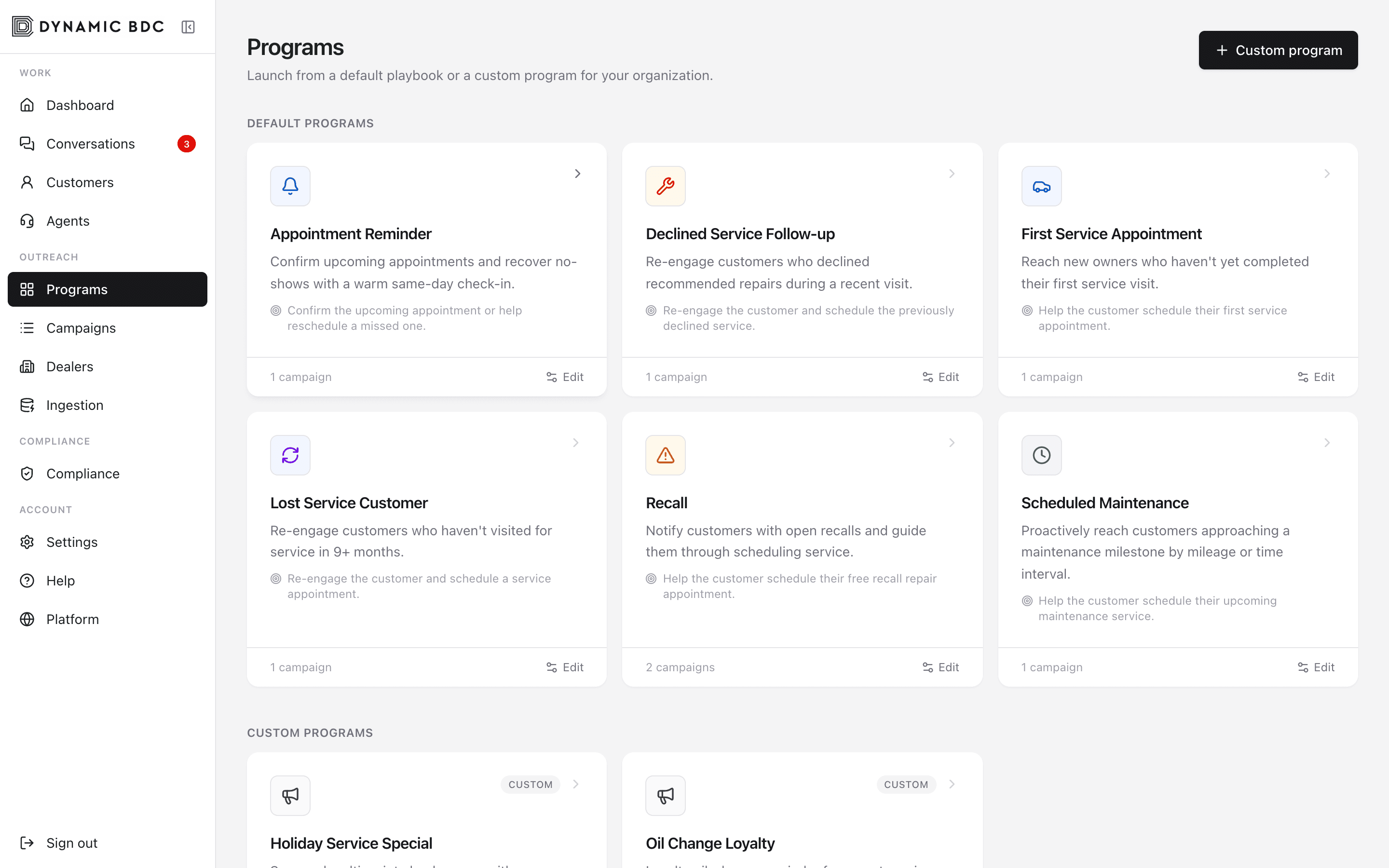
Default programs
- Appointment Reminder — confirm upcoming visits or reschedule no-shows.
- Declined Service Follow-up — re-engage after recommended repairs were declined.
- First Service Appointment — new owners who have not completed first service.
- Lost Service Customer — win-back after a long gap since last visit.
- Recall — open recall notification and scheduling help.
- Scheduled Maintenance — milestone and interval outreach.
Edit program settings
Settings
app.engage
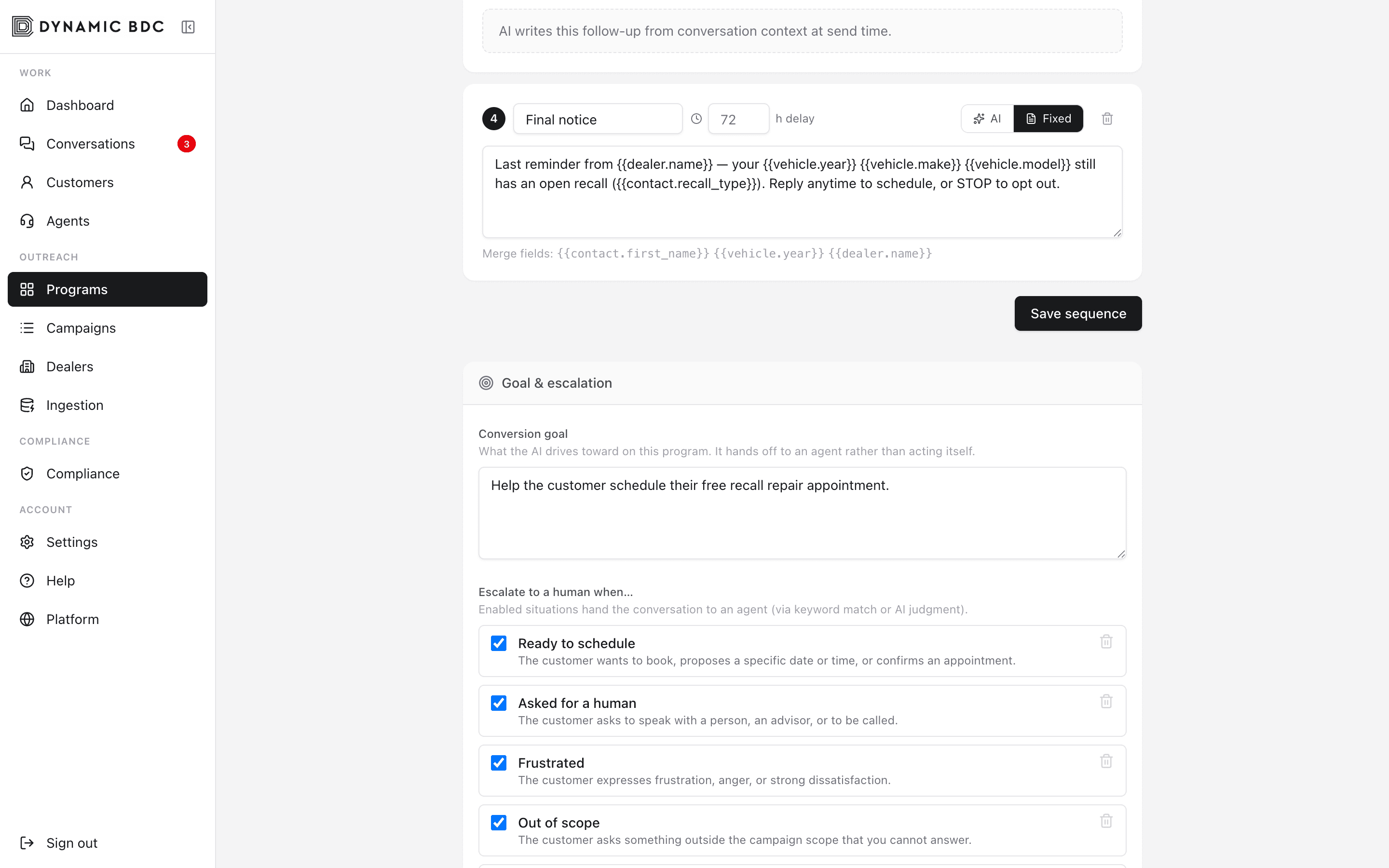
- Steps — ordered SMS messages with timing between sends.
- Conversion goal — what “success” means (for example, schedule service). AI cannot book itself; it escalates when the customer is ready.
- Escalate when — ready to schedule, asked for a human, frustrated, and other triggers you enable.
- No-response — what happens if the customer goes silent (close, escalate, or continue).
Custom programs
Use Custom program when seasonal promos or dealer-specific offers do not fit a default playbook. Define steps and escalation the same way, then launch campaigns from that card.